Why Photo RollOff – and why now
Thousands of photos on the iPhone, storage full, but no interest in an iCloud subscription or the Photos library? Photo RollOff is built for exactly this situation.
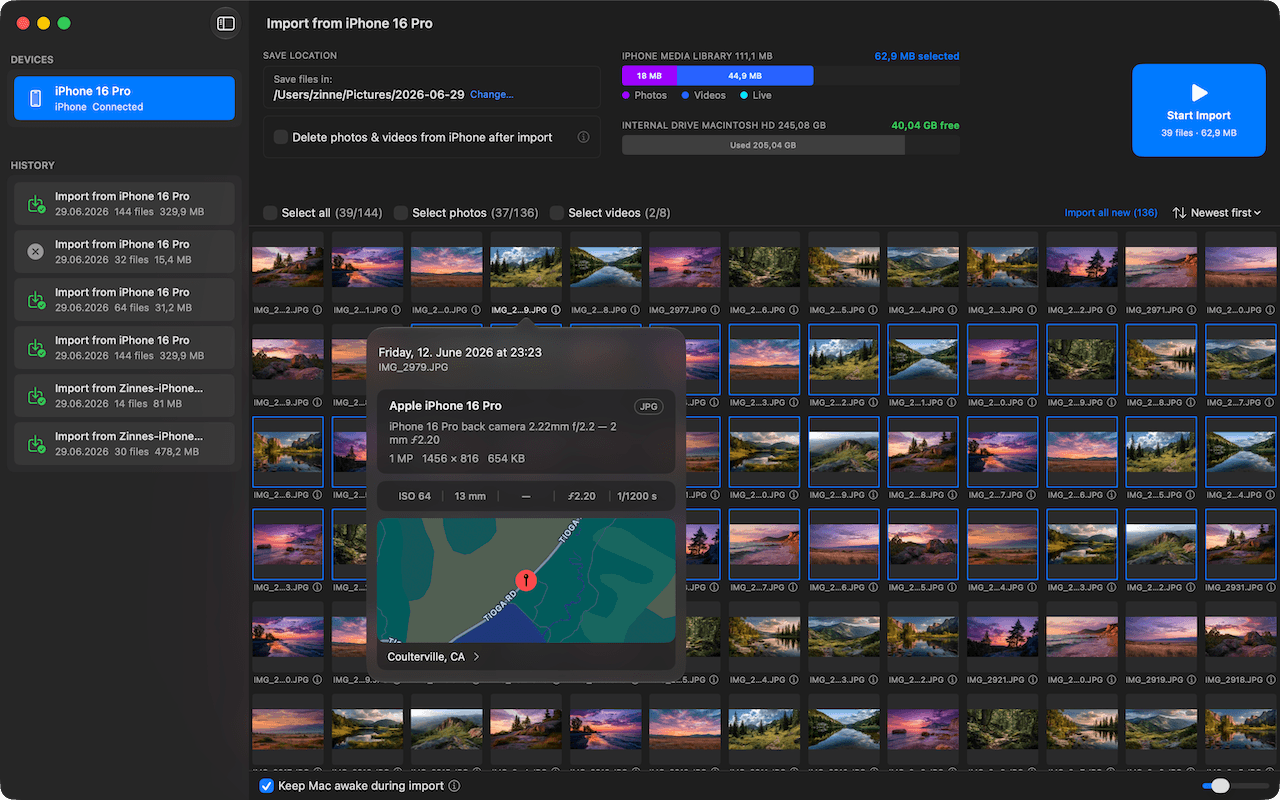
The iPhone is a fantastic camera, but eventually the storage fills up. Apple offers two default paths: an iCloud subscription or the Photos library on the Mac. Both have their place, but both mean: your images live in a closed environment that you don't fully control.
Photo RollOff takes the classic route – just in modern form: via cable, as real files, into a folder of your choice. Afterwards, the app can clean up the iPhone right away if you want.
Real files instead of a closed library
When the photos are sitting on your disk as HEIC, JPEG, MOV or ProRAW in their original format, you can do anything with them: drag them into any app, copy them to an external SSD, back them up, open them in five years – no matter whether the Photos app still exists by then.
EXIF, GPS location, and capture time come along 1:1. You lose nothing compared to the original on the iPhone.
Cleanup built right in
The real point isn't just the backup, it's freeing up space too. Photo RollOff verifies every single file after the import and can then delete it from the iPhone in a targeted way – either automatically after a successful verification or with manual confirmation, depending on how much control you want to keep.
In practice that means: you can move a 10,000-photo library from the iPhone to the Mac in a single session and still be sure that no individual image is lost before it disappears from the device.
More than a plain import
While other tools just shove files across, Photo RollOff shows you in real time during the import how much storage is left on the iPhone and the target drive – broken down by file type. Every session ends up in the archive with detailed statistics and a map of the capture locations. So even a year later you still know what you shot when and where.
Screenshots and screen recordings are detected on their own and aren't mixed in with your photos. You can import them separately if you want – or exclude them entirely.
Try it yourself
Photo RollOff is available as a one-time purchase on the App Store. No subscription, no in-app purchases, no account. Works on every Mac running macOS 14 (Sonoma) or later.
Just do it.
The photos on your iPhone belong to you. With Photo RollOff they're right where you want them after a few clicks – and the iPhone has room again for the next few thousand.